sunphuquoc.info Passenger information
Booking info · Fares

Booking Guide

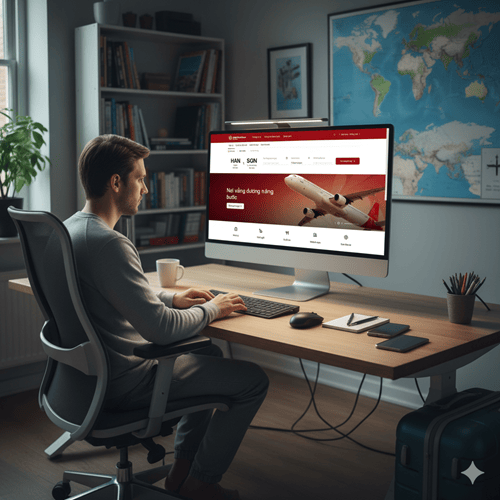
To deliver the most seamless and convenient experience right from the planning stage, Sun PhuQuoc Airways provides an Online Booking System with simple, transparent, and highly secure operations. Below is a detailed 6-step guide to completing the ticketing process and personalizing ancillary services directly on the official website platform. Passengers are kindly advised to note the booking cut-off time before departure

Online Booking Time

Booking cut-off time (minimum before departure):

  • Hanoi – Phu Quoc / Ho Chi Minh City routes: at least 01 hour before departure.
  • All other routes: at least 02 hours before departure.
1

Search for Flights

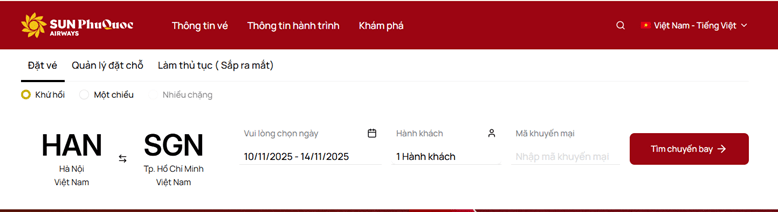
Visit the website sunphuquocairways.com, then on the Book Flight tab, select:

  • Departure and Destination
  • One-way, Round-trip, or Multi-city
  • Departure date and Return date (if any)
  • Number of passengers: Adults, Children, Infants

Then search for flights. If you have a promo code, enter it in the Enter promo code field before searching.

2

Select Fare Class

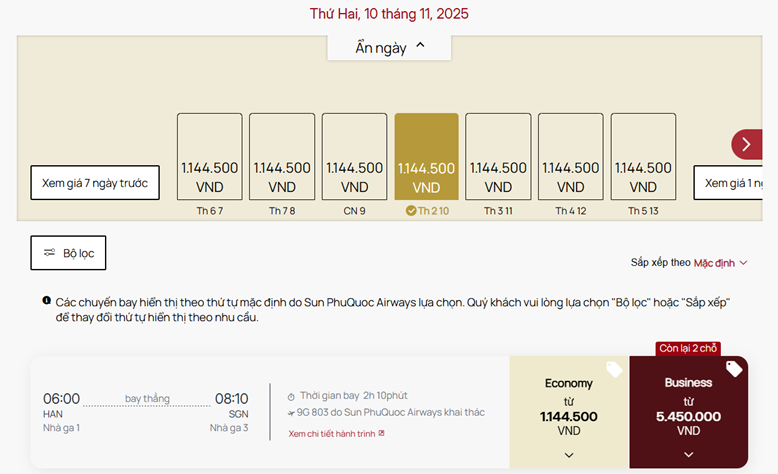
Choose the Economy or Business fare class for the outbound and return journeys by clicking the selection box.

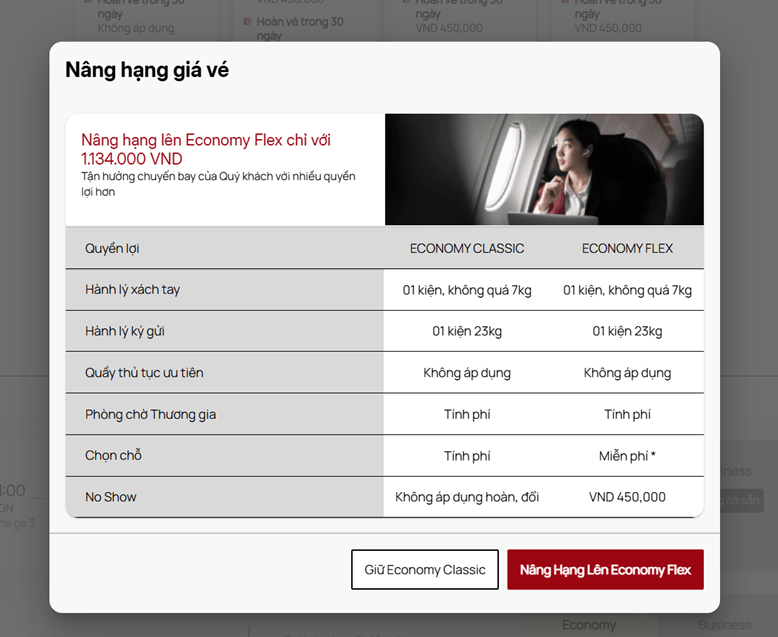
Flights are sorted from earliest to latest departure time; the lowest fare is tagged for easy identification. Each fare class shows information including baggage allowance, itinerary change conditions, and ticket refund/exchange conditions.

After selecting the suitable fare class, continue with your booking journey or consider upgrading to a higher class with more amenities.

3

Enter Passenger Information

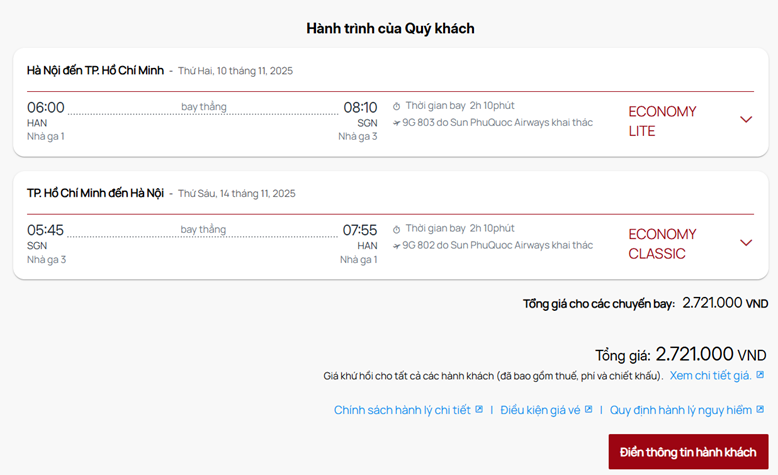
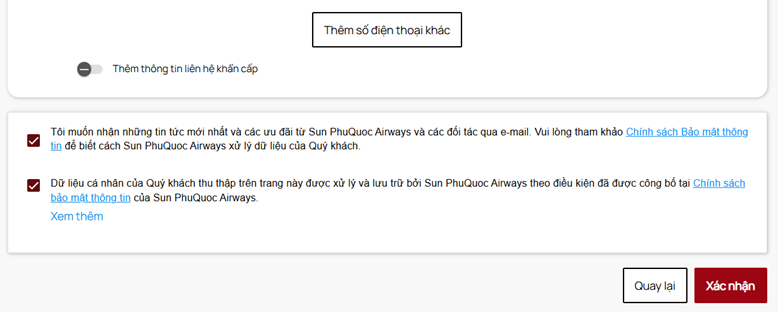
Check the information for the entire itinerary, then click Enter Passenger Information.

Enter personal details — fields marked with * are required and must be completed accurately. You may enter your loyalty number to earn points.

Click Confirm to proceed to the next step.

4

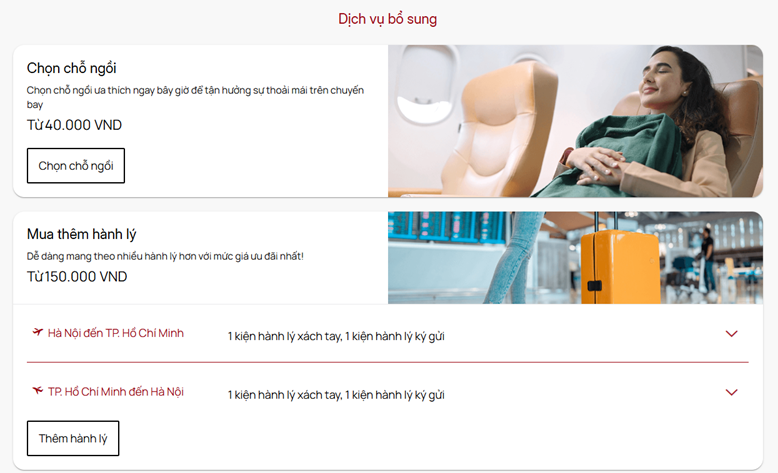
Select Ancillary Services

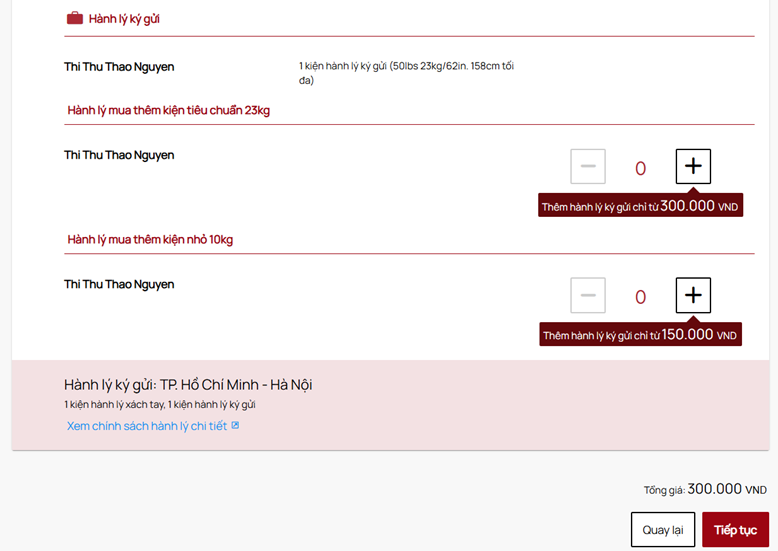
Choose additional useful services for your journey: preferred seats, extra checked baggage, Business lounge access ticket.

Review all flight and passenger information and check the total cost (including taxes, fees, and surcharges).

Click Continue → the itinerary summary page will appear → click Payment to proceed to the next step.

Note: Detailed Baggage Policy, Dangerous Goods Regulations, and Fare Conditions all have detailed links attached below the screen.

5

Payment

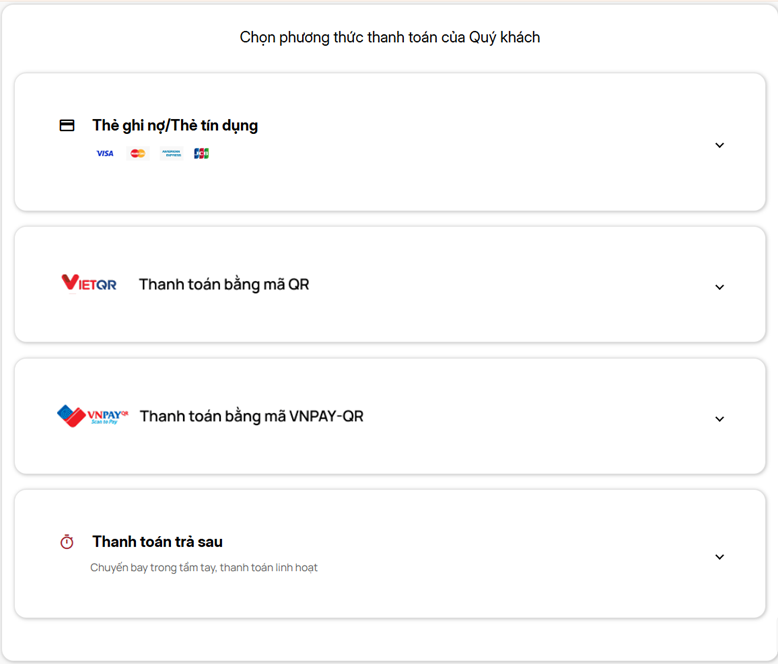
Review your itinerary selections and choose a payment method:

  • Pay now: bank card or e-wallet.
  • Pay later: complete payment after receiving the booking code via the Manage Booking tab on the website.
6

Receive Booking Confirmation

After successful payment, the system confirms the booking and switches to the confirmation screen. You will receive a confirmation email sent to the registered address.

Please recheck: passenger information, itinerary, additional services, and payment details.

If you still have not received the e-ticket after 01 hour from successful payment, please visit Manage Booking at sunphuquocairways.com (enter the booking code and surname), or contact the hotline at 19001599.

At check-in, Sun PhuQuoc Airways will require the e-ticket, which may be printed or saved on your phone.

On the departure date, passengers only need to present the Booking Code (PNR - Passenger Name Record) attached in the e-ticket together with a valid identification document at the check-in counter to receive the Boarding Pass. For greater convenience, you may also use the "Manage Booking" feature on the website to purchase additional baggage, change flights, or self-check-in online (Web Check-in). For any questions arising before departure, please contact the hotline 1900 1599 for timely assistance. We wish you safe and memorable flights with Sun PhuQuoc Airways!

💬

Was this information helpful?

Your feedback helps us improve our content